Renter-Friendly Smart Home Upgrades: No-Drill Automation Under $100 (2026)
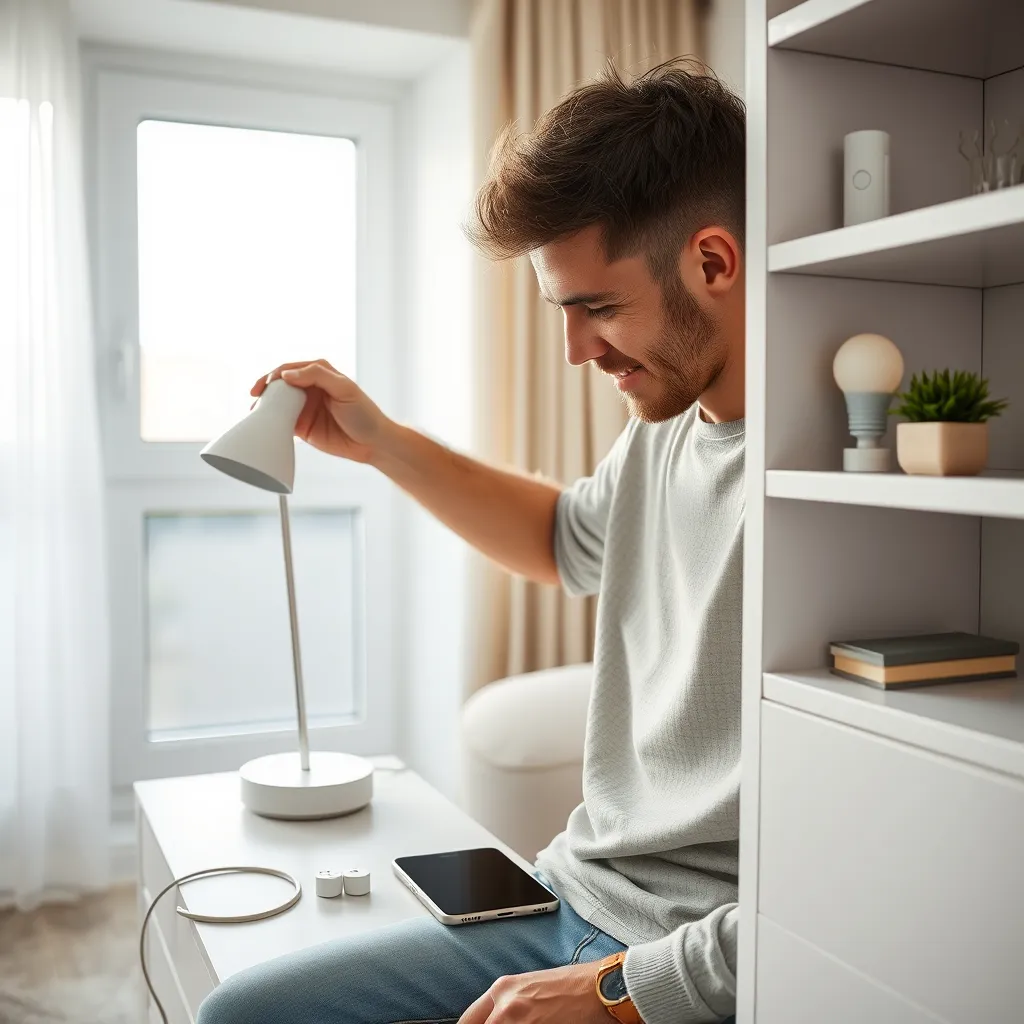
A smart-home setup can make a rental feel more comfortable—until move-out day, when a drilled doorframe or altered switch becomes a deposit dispute. The safest approach is simple: battery + adhesive + plug-in = renter-safe; screw + wire + panel = not renter-safe. Build around devices you can remove, pack and reconnect, rather than features attached to the building. This guide explains what works without drilling, what to leave off your shopping list, and how to divide a hundred-dollar build by budget share. It also shows why a portable protocol matters: a device that can join another controller after a move is more useful than one tied to a single platform.
How This Guide Was Built
This guide is research-based and draws on official vendor and standards-body documentation, including Home Assistant’s Matter documentation and the Connectivity Standards Alliance’s Matter overview. No hands-on device testing was performed. The reversibility test is a decision rule for renters, not a lab result or a claim that any particular product has been physically evaluated.
The Renter-Safe Test: One Rule for Every Device
The renter-safe test is a four-part check: avoid cutting wires, opening a wall cavity, installing a fastener that needs filling and painting, or changing the building’s electrical service or HVAC; choosing portable devices also helps preserve value after a move, as Matter’s IP-based design illustrates.
A device passes when installation does not require any of these actions:
- No wire is cut or re-terminated.
- No wall cavity is opened.
- No fastener is installed that will need filling and painting.
- The building’s electrical service or HVAC is not changed.
That is the practical meaning of the reversal principle: battery + adhesive + plug-in = renter-safe; screw + wire + panel = not renter-safe. A removable adhesive mount can still leave residue or lift paint, so “reversible” means lower risk, not guaranteed damage-free. Ask before attaching anything to a surface the lease or landlord treats as part of the building.
Portability matters, too. A smart plug can move with you, but it is only genuinely useful if your next controller can adopt it. Before buying, check both the installation method and whether the device can be added to another platform later. For a broader primer, see this beginner’s guide to Matter.
What Actually Works Without Drilling
No-drill smart-home upgrades work best when the device is battery-powered, adhesive-mounted or plugged into an existing outlet, rather than connected to the building’s wiring; CSA’s Matter overview also helps renters check whether a portable device’s control protocol suits their setup.
Smart plugs with energy monitoring
A smart plug can automate a lamp or another suitable plug-in device while leaving the outlet and building wiring untouched. Energy monitoring adds a view of consumption, but readings are indicative, not billing-grade measurements; do not use them to dispute a utility bill. Eve Energy is described by Eve as “Smart Plug & Power Meter.” TP-Link describes the Tapo P110M as a “Mini Smart Wi-Fi Plug, Energy Monitoring”; it is Matter-Certified and works with Apple Home, Alexa, Google Assistant and Samsung SmartThings. Check the outlet layout, network requirements and the connected device’s suitability before buying. A plug can automate power, but it does not make every connected appliance safe or smart.
Smart bulbs
Smart bulbs let you automate lighting without replacing a switch or changing wiring. Check the lamp’s bulb fitting, whether a wall switch will remain on, and whether the bulb uses Wi-Fi, Thread or another protocol your controller supports. The limitation is practical: if someone switches off power at the wall, app and automation control can stop until the switch is turned back on. Bulbs also travel easily, but may need to be re-added to the next home’s network or controller.
Battery contact, motion and presence sensors
Battery sensors can report a door or window opening, movement or presence without a wire running through a frame. Check whether the sensor connects directly to your platform or needs a hub, and confirm that its adhesive or magnet can be removed from the surface safely. The Zigbee2MQTT device documentation can help identify coordinator requirements for Zigbee devices. Small sensors are portable, but battery replacement and re-pairing are part of ownership; “presence” capabilities also vary by device, so check the specific product documentation.
Adhesive and magnetic cameras
A battery camera on a removable adhesive mount or magnetic surface can avoid permanent installation, provided the mounting surface and the camera’s approved mounting method are suitable. Check whether the camera needs a hub, whether it can reach your network, and whether its view captures neighbors or shared areas. Camera placement, audio recording and hallway or shared-space coverage are jurisdiction-dependent and must also be considered against lease terms. The honest limitation is that a mount’s removability does not make a camera’s placement automatically acceptable.
Plug-in hubs and bridges
A plug-in hub can coordinate devices that do not connect directly to your Wi-Fi or controller, without opening a wall or changing wiring. Before buying, check which radio protocols it supports and whether it can migrate or be reset for a different home. The Aqara Hub M3 is an Aqara hub product; that description alone does not establish compatibility with every device or platform. A hub adds a useful control layer, but also adds another device to pack, power and configure after a move.
Clamp-on blind and curtain motors
Clamp-on or removable curtain and blind motors can automate window coverings without drilling when the existing hardware supports their attachment. Check the device’s permitted mounting method, the shape and movement of your blinds or curtain track, and whether the motor can be removed without marking the frame. The limitation is fit: a motor that cannot securely attach to your existing hardware is not a renter-friendly upgrade, even if its control system is portable.
TRVs and IR controllers for portable AC and heaters
A removable thermostatic radiator valve head, or an infrared controller for a compatible portable AC or heater, may add room-level automation without altering building wiring. Before buying, verify device compatibility and whether your landlord permits changes to the radiator valve; do not assume a particular adapter will fit. IR controllers also depend on the appliance accepting compatible infrared commands and having a usable line of sight. These options are not interchangeable: a TRV controls a compatible radiator valve, while an IR controller sends commands to a compatible appliance.
The Do-Not-Buy List: What Costs You Your Deposit
The do-not-buy list for a rental excludes upgrades that require altering wiring, walls, HVAC equipment or the electrical panel, because those modifications belong to the building rather than to the tenant. Home Assistant’s Matter documentation describes how a controller manages devices — it is not permission to modify the building infrastructure that supplies them.
| Leave it off the renter-safe list | Why it fails the test |
|---|---|
| In-wall smart switches or dimmers | Installation involves the wall box and wiring; removal can leave a need to fill and repaint. |
| Hardwired thermostats | A C-wire or other wiring changes, a new backplate and access to the landlord’s HVAC system may be involved. |
| Hardwired doorbells | They can require work on a transformer and drilling into masonry or another building surface. |
| Wired or PoE cameras | Routing cable and mounting the camera can require drilling and permanent changes. |
| Breaker-panel or whole-home electrical work | This may require a licensed electrician, a permit and the owner’s consent; it is not a portable renter upgrade. |
Even if an installer offers to make the work look neat, the central problem remains: the modification belongs to the building, not to your next home. If a feature requires a screw terminal, concealed cable route or panel access, choose a plug-in or battery alternative instead.
Protocols and Portability: The Hidden Cost of Cheap
Protocols and portability determine whether a device can move between controllers after you change address, so renters should check each product’s radio and network requirements before buying. Matter’s official overview describes its IP foundation, and the CSA Matter FAQ explains multi-admin.
Matter 1.0 was published in October 2022 under the Connectivity Standards Alliance. Matter devices run locally and always allow local control: device control works without an internet connection or cloud service, according to Home Assistant’s Matter documentation. Matter is a control protocol that runs over IP—using Wi-Fi, Ethernet or Thread—with Bluetooth Low Energy used for commissioning. Its multi-admin feature lets one device connect to multiple controllers at once, with the user choosing which platforms can access it.
Matter does not mean every product works with every feature in every app. The CSA lists supported categories including bridges, controllers, door locks, HVAC controls, lighting and electrical, media devices, safety and security sensors, and window coverings; cameras, appliances, energy management, robot vacuums and smoke/CO are still being defined. Read the product’s stated compatibility and the controller’s documentation before committing. If you use Home Assistant, its Matter integration runs a separate Matter Server process and Home Assistant acts as a Matter controller. Its Thread integration guide explains how Thread fits into that setup.
Wi-Fi is often the easiest system to bring to another home because the device joins a new network rather than depending on a fixed in-wall hub. But a rental network can still be a barrier: captive portals, VLANs and client isolation can prevent devices from communicating as expected. Some products require 2.4 GHz Wi-Fi — the band the Wi-Fi Alliance standardises — so check the device documentation and the property’s network setup before buying.
Thread is a low-power, IP-addressable mesh, as described by the Thread Group. A device marked “Built on Thread: requires border router” cannot use Wi-Fi; a Thread border router must exist on the network. A move usually means commissioning the device again against the new home’s border router. See this guide to Thread border routers with Home Assistant.
Zigbee needs a coordinator. A hub-centric Zigbee setup can be inexpensive per device, but expect each device to be paired again after a move or coordinator change; Zigbee2MQTT’s documentation provides device and coordinator information.
Z-Wave is region-specific, so it is a poor fit for people who may move internationally: check the destination region and device compatibility before buying. The Z-Wave Alliance is a starting point for standards and ecosystem information.
Bluetooth Low Energy is used for Matter commissioning, but Bluetooth is range-limited compared with a home mesh or Wi-Fi network; the Bluetooth SIG explains the technology. Treat it as a short-range connection, not a promise of whole-home coverage. For more on the trade-offs, compare Zigbee, Z-Wave and Matter.
Renter-Safe Categories at a Glance
This renter-safe comparison summarizes how common no-drill categories are installed, moved and connected, so renters can screen products before ordering. The CSA’s Matter device-category overview lists the product functions the standard currently covers, including lighting and electrical, safety and security sensors, and window coverings.
| Category | Install method | Reversibility | Protocol portability | Deposit risk |
|---|---|---|---|---|
| Smart plugs | Existing outlet | High | Wi-Fi or Matter may travel; reconfigure on a new network | Low |
| Smart bulbs | Existing lamp socket | High | Depends on Wi-Fi, Thread or another supported protocol | Low |
| Battery sensors | Adhesive or magnetic mount | Usually high; remove carefully | Depends on hub, controller and protocol | Low to moderate |
| Adhesive/magnetic cameras | Approved removable mount | Usually high; check surface first | Depends on camera and network support | Moderate; placement and residue matter |
| Plug-in hubs | Existing outlet | High | Depends on supported protocols and controller | Low |
| Blind/curtain motors | Clamp or removable attachment | Depends on fit and attachment | Depends on the motor and controller | Low to moderate |
| TRVs | Removable head on a compatible valve | Depends on valve and fit | Depends on the device and controller | Moderate; check lease and compatibility |
| IR controllers | Plug-in or removable placement | High | Depends on controller and network support | Low |
The table is a screening tool, not a guarantee that every device in a category is compatible or harmless to every surface. Confirm the installation instructions, the product’s protocol, and your lease before ordering. A removable installation method does not override restrictions on cameras, shared spaces or changes to radiator hardware.
The $100 Build: Allocation by Budget Share
The $100 build works as a percentage allocation rather than a product-price promise: roughly 35% for a control spine, 25% for sensing, 20% for lighting, and 10% each for thermal control and a reversibility reserve. Matter multi-admin helps a portable control spine serve more than one platform, though each device still has to match your home’s network and controller.
- ~35% control spine: a controller or hub, or a voice assistant that doubles as a Thread border router, plus one energy-monitoring plug.
- ~25% sensing: one contact sensor and one motion or presence sensor.
- ~20% lighting: two smart bulbs.
- ~10% thermal: one TRV head OR one IR AC controller, not both.
- ~10% reversibility reserve: adhesive strips, adapters, cable clips and spare batteries.
Those shares are planning limits, not promised prices; choose devices that fit the percentages available to you rather than assuming a product will fall within a particular amount. The reserve is not leftover money. It covers the small items that make removal and reinstallation more practical.
The trade-off is straightforward: hub-centric Zigbee is cheaper per device but requires re-pairing on every move; Matter/Thread can cost more per device but travels between compatible controllers and networks. Do not buy a Thread device until you have confirmed that a Thread border router will be available in the rental.
Move-Out Day: Packing a Smart Home
Move-out planning is part of a portable smart-home build: Thread devices need re-commissioning to the new home’s border router, Zigbee devices need re-pairing with the new coordinator, and adhesives should be removed slowly and carefully. Home Assistant’s Thread guide explains the border-router requirement that decides whether a Thread device will work at all.
Before packing, photograph every adhesive mount and its location. That creates a record of the surface and helps you check for residue after removal. Peel adhesive slowly and warm it gently if appropriate for the surface; avoid tools or solvents that could damage paint. Spend the reversibility reserve on residue cleanup and replacing mounts that cannot be reused.
At the new home, expect to commission Thread devices to the new border router and pair Zigbee devices again with the new coordinator or hub. Check the destination region before taking Z-Wave equipment abroad; region-locking can make an otherwise portable device unsuitable. Keep written landlord permission for anything touching the building fabric, and leave wired or drilled upgrades out of the moving plan.
The Bottom Line
The bottom line is to buy the reversible spine first — a Matter plug, battery sensors and bulbs — skip anything with a screw terminal, and treat the reversibility reserve as part of the build. Matter’s local-control documentation supports the case for portable control without dependence on a cloud service.
A rental smart home is not defined by how many devices it has. It is defined by whether those devices can be removed without altering the building and can be adopted by a suitable controller at your next address. Check the protocol and the installation method before you pay. A low-cost device that cannot move with you may be a worse buy than a modest, compatible setup designed around the next move. For related setup and privacy decisions, see this smart-home privacy and security guide.
FAQ
These answers cover the practical questions renters should resolve before installing smart-home devices, from landlord permission and adhesive residue to international moves, offline control and energy-reading accuracy. Home Assistant’s Matter documentation and the CSA’s multi-admin FAQ serve as protocol references throughout.
Do I need my landlord’s permission?
Check your lease and ask your landlord before attaching anything that could mark a surface, changing a radiator valve, placing a camera where it captures shared areas, or making any building-related change. Rules and expectations differ by property and jurisdiction. Keep written permission for anything that touches the building fabric; removable does not automatically mean permitted.
Can I take my smart home to a new country?
Some devices can move, but radio compatibility and regional limits matter. Check Wi-Fi requirements, controller support and local compatibility before packing. Z-Wave is region-specific, so it can be a poor choice for international moves. Thread devices need commissioning to a new border router, while Zigbee devices generally need re-pairing to the new coordinator.
Do Matter devices work without internet?
Matter devices run locally and always allow local control, so device control does not require an internet connection or cloud service. That does not guarantee every app feature works offline, or that your home network is configured correctly. Check the controller’s documentation and keep the local network running for local control.
Will adhesive strips cost me my deposit?
They can, depending on the adhesive, surface, paint condition, installation and removal. Test an unobtrusive area if permitted, follow the mount’s removal instructions, photograph each installation and peel slowly. Warm an adhesive carefully if appropriate for the surface. Ask your landlord about restrictions; no adhesive method can guarantee that paint will remain undamaged.
Are smart-plug energy readings accurate enough to dispute a bill?
Treat smart-plug energy readings as indicative, not billing-grade measurements. They can help you observe patterns for a device, but do not assume they meet a utility’s standards or can establish a billing error. If you believe a bill is wrong, use the utility’s formal process and its accepted measurement or meter-review procedures rather than relying on a plug reading.
📖 Related Reads
- ToolBrain — tool reviews, LLM comparisons, and AI workflow guides
Cross-links automatically generated from SmartHome Field Guide.
← Back to guides