Smart Home Privacy and Security Guide 2026: Local-First Hardening, Data-Local, and Cloud-Outage Resilient
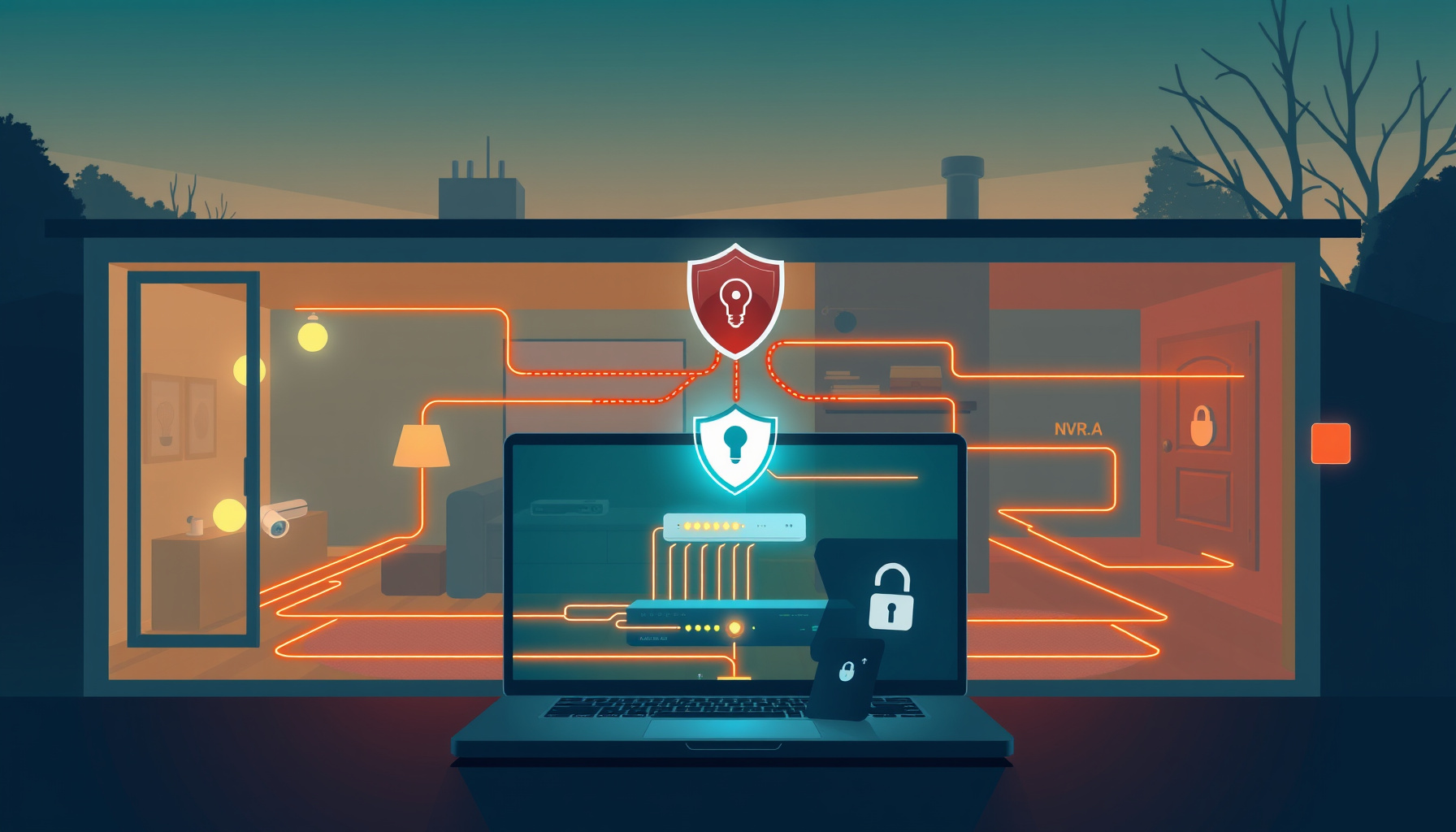
A smart home hardening plan starts with the failure you are most likely to face: a device with default credentials recruited into a botnet within seconds of discovery. This section defines the realistic risks — botnet scans, open UPnP bridges, and insecure device defaults — so every later action targets a documented attack path rather than vague fear.
What You Are Actually Hardening Against
Default credentials are the dominant entry point
The write-up on IoT vulnerabilities hackers target in 2026 describes Mirai-lineage botnets scanning the IPv4 space for open Telnet and SSH, cycling through more than 60 factory-default passwords, and recruiting devices within seconds of discovery. That is the front door. Everything else in this guide is secondary to making sure nothing on your network still answers to a factory password.
Open UPnP can turn a compromised device into a bridge
DeepField’s public research report from 2026-07-24 documents a device running a Mirai bot alongside an open UPnP router as “two decades of IoT-security guidance ignored in one binary,” and describes open UPnP combined with botnet recruitment as a documented pattern for building residential proxy nodes. The failure mode is not only that your device joins a botnet — it is that your home becomes a relay someone else rents out.
Government guidance gives the baseline
CISA’s standing IoT guidance states plainly that connected devices can be recruited into botnets to attack others, and that owners should evaluate security settings, change default credentials, and keep firmware current. CISA also published an IoT Acquisition Guidance Document highlighting elevated risk from software-enabled, internet-connected IoT. The baseline is unglamorous: change defaults, patch, restrict exposure.
Local-only projects still carry trust-model risk
It is tempting to assume that running everything locally removes the threat model. The ESPHome Security Best Practices page says otherwise: ESPHome assumes deployment on trusted networks, protection by firewalls, network segmentation and VLANs, devices not exposed to the internet, and controlled physical access. The documentation states that ESPHome devices “should not be considered hardened for hostile network environments.”
Credential and Access Hygiene First
Before touching network rules, eliminate the easiest win: credentials and account access. A strong unique password per account, multi-factor authentication, centralized secrets, and limited admin roles reduce the chance that a stolen password or exposed YAML becomes full control of the house.
Turn on multi-factor authentication and reduce admin accounts
The Home Assistant security checklist recommends a strong unique password per account, multi-factor authentication turned on, secrets centralized, the system kept updated on each monthly release, and admin granted only to accounts that need it.
Use secrets.yaml, but understand its limits
Home Assistant’s secrets documentation states that !secret does not encrypt anything, that it cannot be used in UI-editable automations or scripts, and that secrets are exposed to admins in the UI YAML and trace viewer. Treat it as tidiness and casual access control, not as a vault. For background on how a full local install fits together, see our Home Assistant setup guide.
Avoid the trusted_networks login trap
The authentication providers documentation warns that trusted_networks skips the password prompt for allow-listed LAN ranges. If you add it, type: homeassistant must remain as a fallback — otherwise anyone on the LAN can log in by picking a username with no password. The docs also note that order matters: trusted_networks must be listed before homeassistant to skip login.
Encrypt ESPHome API traffic with unique keys
The ESPHome security page states that API encryption should always be enabled with a unique key per device, that keys must never be reused and should be regenerated if compromised, and that if the web server is enabled it must be given a password — because the ESPHome web server has no CSRF protection by design. Keys and passwords belong in secrets.yaml, and that file should never be committed.
Lock Down the Local Radio Layer
Local radios are not automatically private just because they stay in your house. Zigbee, Z-Wave, Matter, Thread, and Wi-Fi each have a protection mechanism and a weak default. Harden the key exchange and commissioning settings so a nearby attacker cannot read traffic or slip onto the mesh.
Zigbee: use install codes and fresh network keys
Silicon Labs’ installation code overview states that Zigbee 3.0 compliance requires joining devices to support install codes: a random value installed at manufacture, printed on the case or packaging, used to encrypt the initial network-key transport from the Trust Center to the joining device. The install code becomes a link key through an AES-MMO hash, after which the node negotiates a fresh Trust Center link key, per Silicon Labs’ security use of install codes.
Zigbee2MQTT’s securing page states that releases before 1.33.0 used a known default network key, that 1.33.0 and later generate a random key on startup, and that advanced: network_key: GENERATE regenerates it on next start. The same page notes that changing the network key requires re-pairing all devices, and that a known default Trust Center link key is used to sniff traffic if the network key is known. If you are still wiring this up, our Zigbee2MQTT guide covers the install path.
Z-Wave: keep S2 classes distinct
zwave-js’s Security S2 documentation describes four classes — S2 Access Control for door locks and garage doors, S2 Authenticated for security systems, sensors and lighting, S2 Unauthenticated where nothing verifies the correct device joined, and S0 Legacy as the lowest. It states that all four keys must be distinct 16-byte values and that sharing keys between classes is a security risk. The Silicon Labs Z-Wave security whitepaper adds that S2 Access Control is not stronger cryptography than S2 Authenticated; the benefit is segmentation, so access-control devices are only reachable by controllers that need them.
Matter: verify attestation and control fabrics
Silicon Labs’ Matter device attestation page states that during commissioning a certified device cryptographically attests that it is a genuine, certified product: the commissioner retrieves the certificate chain, validates the Product Attestation Authority against trusted PAAs in the Distributed Compliance Ledger, and receives a Certificate Declaration, PAI and DAC as X.509 v3 certificates. CableLabs on Matter 1.6 Joint Fabric explains that a fabric is a secure private network of devices and controllers sharing a common credential set, with multi-admin letting one device live in more than one fabric at once.
Thread: protect credential sharing
The Thread Group resources describe Thread 1.4’s Thread Credentials Sharing as a secure procedure to share administrative access to an existing Thread network and extract its credentials, protected by a secure DTLS connection between the Border Router and the device. Espressif’s write-up on Thread credential sharing lists the Operational Dataset fields: Network Key (128-bit), PSKc, PAN ID, Extended PAN ID, channel, mesh-local prefix, and security policy.
Wi-Fi: move to WPA3
The Wi-Fi Alliance WPA3 resources state that WPA3-Personal is the current Wi-Fi Alliance security certification for home networks, superseding WPA2.
Protocol security comparison
| Protocol | What protects it | Weakest default | One action that fixes it |
|---|---|---|---|
| Zigbee | Zigbee 3.0 install code encrypts initial network-key transport from the Trust Center; 128-bit network encryption key. | Zigbee2MQTT releases before 1.33.0 used a known default network key; the default Trust Center link key can be used to sniff traffic if the network key is known. | Set advanced: network_key: GENERATE, re-pair all devices, and use install codes for joins. |
| Z-Wave | Security S2 per-class keys segment trust; S2 Access Control is highest for locks and garage doors. | Shared S2 keys across classes or fallback to S0 Legacy weakens segmentation. | Keep Access Control, Authenticated and Unauthenticated keys as distinct 16-byte values. |
| Matter | Commissioning attests the device through a certificate chain validated against trusted PAAs in the DCL; fabric credentials isolate devices and controllers. | A device that cannot complete attestation weakens trust in the fabric. | Commission only certified Matter devices and validate attestation against trusted PAAs. |
| Thread | Thread 1.4 Credentials Sharing uses a secure DTLS connection; Operational Dataset includes a 128-bit Network Key. | Credentials shared outside the Thread 1.4 procedure, or a weak network key. | Use Thread 1.4 Credentials Sharing and confirm a strong 128-bit Network Key. |
| Wi-Fi | WPA3-Personal is the current Wi-Fi Alliance home security certification. | WPA2-Personal or an open network. | Enable WPA3-Personal on the router and all IoT SSIDs. |
Segment the Network and Keep IoT on a Leash
The strongest cheap control is isolation. Put smart home devices on a dedicated VLAN or SSID, block internet-to-LAN inbound, and treat ESPHome and Home Assistant as trusted-network services. This limits a compromised bulb from reaching your laptop, NAS, or backup disk.
Use firewall segmentation and VLANs
ESPHome’s security guidance assumes devices sit behind network-perimeter security — firewalls, network segmentation, VLANs — and are not exposed to untrusted networks. Our smart home network guide walks the LAN layout itself; here the point is narrower: segmentation is a documented prerequisite, not a nice-to-have.
Keep Home Assistant on the local path
Home Assistant’s security page states that it runs on your own hardware and does not depend on any cloud service to work, which removes a large class of risk that comes with internet-connected platforms — while noting it should still be protected, especially if reachable from outside.
Make Pi-hole a LAN-only service
Pi-hole’s prerequisites state that it is designed to work inside a local network, with firewall rules that block inbound traffic from the internet and allow only LAN and localhost. The documented required ports are 53 DNS over TCP and UDP, 80 and 443 for the web UI, plus optional 67/547 DHCP and 123 NTP.
Filter DNS and Block Cloud Egress Without Breaking Features
Once devices are isolated, stop them from phoning home. A local DNS filter such as Pi-hole or AdGuard Home can block telemetry for IoT that cannot run an ad blocker. Use NULL mode to reduce timeouts, and accept that encrypted DNS can bypass filtering.
Set Pi-hole to NULL blocking mode
Pi-hole’s blocking mode documentation states that NULL is the default and recommended mode: blocked queries are answered with the unspecified address 0.0.0.0 or ::, which reduces traffic and avoids HTTPS timeouts because the requests are never performed.
Use regex denylists for precision
Pi-hole’s regex extensions document regex denylists with per-regex reply types: nodata, nxdomain, refused, none, ip, and an explicit IP. That lets you block a tracking domain without forcing a hard failure on a device that needs a clean negative answer.
Consider AdGuard Home as a self-hosted alternative
The AdGuard Home repository describes a self-hosted, network-wide DNS filter that blocks ads and trackers for all home devices without client software — including Smart TVs, smart speakers and other IoT that cannot run a normal ad blocker. It states the project collects no usage statistics and uses no web services unless configured.
State the DNS-filtering caveat honestly
The AdGuard Home getting-started documentation is where the trade-offs live: these filters only see plain DNS. A device that hard-codes a public resolver or uses DoH/DoT can bypass a local filter entirely, and blocking telemetry can break cloud-dependent features. Map what you rely on before you cut it.
Remote Access That Does Not Expose Port 8123
The easiest way to lose a local-first smart home is to forward port 8123 to the public internet. Use Home Assistant Cloud, a VPN, or an SSH tunnel instead, keep long-lived tokens on a short leash, and remove unused refresh tokens.
Do not expose port 8123 directly
Home Assistant’s security documentation states that remote access should be via Home Assistant Cloud, a VPN, or an SSH tunnel — not direct internet exposure of port 8123.
Watch token lifetimes
The Home Assistant authentication documentation states that refresh tokens are automatically removed if unused for 90 days, and that scripts and applications should use long-lived access tokens.
Harden SSH at the source
The same security page advises setting PermitRootLogin no and using keys rather than passwords for SSH access.
Data-Local Backups You Can Actually Restore
A security guide fails if a burglary, ransomware event, or failed SD card destroys your configuration. Home Assistant backups are encrypted by default, but the encryption key is irreplaceable. Follow the 3-2-1 rule, keep an Emergency Kit offline, and test restores.
Backups are encrypted by default
The Home Assistant post on modernizing backup encryption states that the 2026.4 release, from 2026-04-01, migrates to SecureTar v3: Argon2id memory-hard key derivation, XChaCha20-Poly1305 authenticated encryption through libsodium secretstream, and 256-bit keys. It also notes an independent Trail of Bits audit produced three findings — two informational, one medium — all resolved.
Follow the 3-2-1 rule
Home Assistant’s 3-2-1 backup post defines the rule as regular frequent backups, three total copies on at least two kinds of media, at least one off-site, encrypted, tested, and retained on a schedule. The same post states that automatic encrypted backups, cleanup and backup locations arrived in Home Assistant 2025.1.
Keep the Backup Emergency Kit safe
The Backup Emergency Kit page states that the kit holds the encryption key, and without it an encrypted backup cannot be restored. It states that Nabu Casa does not store the key, and that Home Assistant Cloud stores only the latest backup, capped at 5 GB, always encrypted.
For cameras, prefer local NVR paths
Frigate is the common local NVR path for cameras: local recording without a vendor cloud. Our Frigate setup guide covers the install, and our cameras privacy roundup covers which cloud subscriptions you are replacing.
Cloud-Outage Resilience: Keep the House Running When the Internet Drops
Privacy and security also mean availability when the broadband connection or vendor cloud fails. Local-first architecture keeps the critical path in your house, but only if you have not accidentally made a hub or voice command depend on a cloud service.
Home Assistant local operation is the baseline
Home Assistant’s security documentation states the platform does not depend on any cloud service to work, treating local operation as the baseline and cloud as an optional remote-access convenience.
Identify cloud-dependent features early
Blocking telemetry can break cloud-dependent features, as the AdGuard Home getting-started documentation notes, so a hardening pass should map which routines or devices rely on external egress before you cut it.
Keep the failure mode local
Local radio protocols, a local DNS filter, and a local NVR are your outage path. Prioritize them over devices that require a vendor app or a remote cloud to do anything at all.
FAQ
These are the practical questions that come up after the hardening checklist. The answers stay within the documented sources above and flag where a change has a real trade-off, such as re-pairing every Zigbee device or encrypted DNS bypassing a local resolver.
Do I need a separate VLAN if my smart home is all local?
Yes. Even local devices are only as safe as the device next to them. ESPHome’s security documentation explicitly assumes a trusted network protected by firewalls, network segmentation and VLANs, and warns that devices should not be considered hardened for hostile network environments.
Will changing my Zigbee network key break every device?
Yes. Zigbee2MQTT’s securing page states that changing the network key requires re-pairing all devices. The benefit is removing a known default key that applied to releases before 1.33.0.
Can a smart home really work during an internet outage?
Home Assistant’s security documentation states the hub does not depend on any cloud service, so local-protocol devices can remain operational. The caveat: cloud-dependent features, and devices that bypass local control, will still fail.
Is DNS filtering enough to stop all smart home telemetry?
No. These filters only see plain DNS, so a device that hard-codes a public resolver or uses DoH/DoT can bypass a local filter, and blocking can also break cloud-dependent features, as the AdGuard Home getting-started documentation notes. A device that hard-codes a public resolver or uses DoH/DoT can bypass a local filter, and blocking can break cloud-dependent features.
The Bottom Line
Harden in this order: fix credentials and secrets, segment the network, lock protocol keys and Wi-Fi, block egress with local DNS, avoid exposing port 8123, then build tested encrypted backups. That sequence gives the largest privacy and security gain for the least breakage.
- Fix credentials first. Default and factory credentials remain the dominant IoT attack vector, and CISA’s IoT guidance starts with changing defaults and keeping firmware current.
- Segment everything local. ESPHome, Home Assistant, Pi-hole, and Frigate all work best on trusted, segmented local networks per their own documentation.
- Keep encrypted backups and the Emergency Kit offline. Without the key, an encrypted backup cannot be restored, and Nabu Casa does not store it.
How This Guide Was Built
This guide was produced from desk research only. The author read primary vendor, standards, and government pages on 2026-10-07, then translated those documents into a hardening checklist. Nothing was installed, paired, or hands-on tested, and no performance claim rests on first-person testing.
- Desk research only. Every fact came from primary vendor, standards, and government pages read on 2026-10-07; this is not a lab test or a setup walkthrough.
- Sources are linked inline. Each factual claim points to its primary source so readers can verify the guidance directly.
- Honest about scope. This is a hardening checklist for an existing local-first smart home, not a build log, a camera privacy roundup, or a basic network guide.
- No hands-on claims. Phrasing such as “the documentation states” and “the source says” is deliberate: no device was installed, paired, or tested for this article. Standards references include OWASP’s Internet of Things Project and NIST SP 800-183.