SONOFF iHost Review 2026: Local Zigbee, Matter, and HA OS
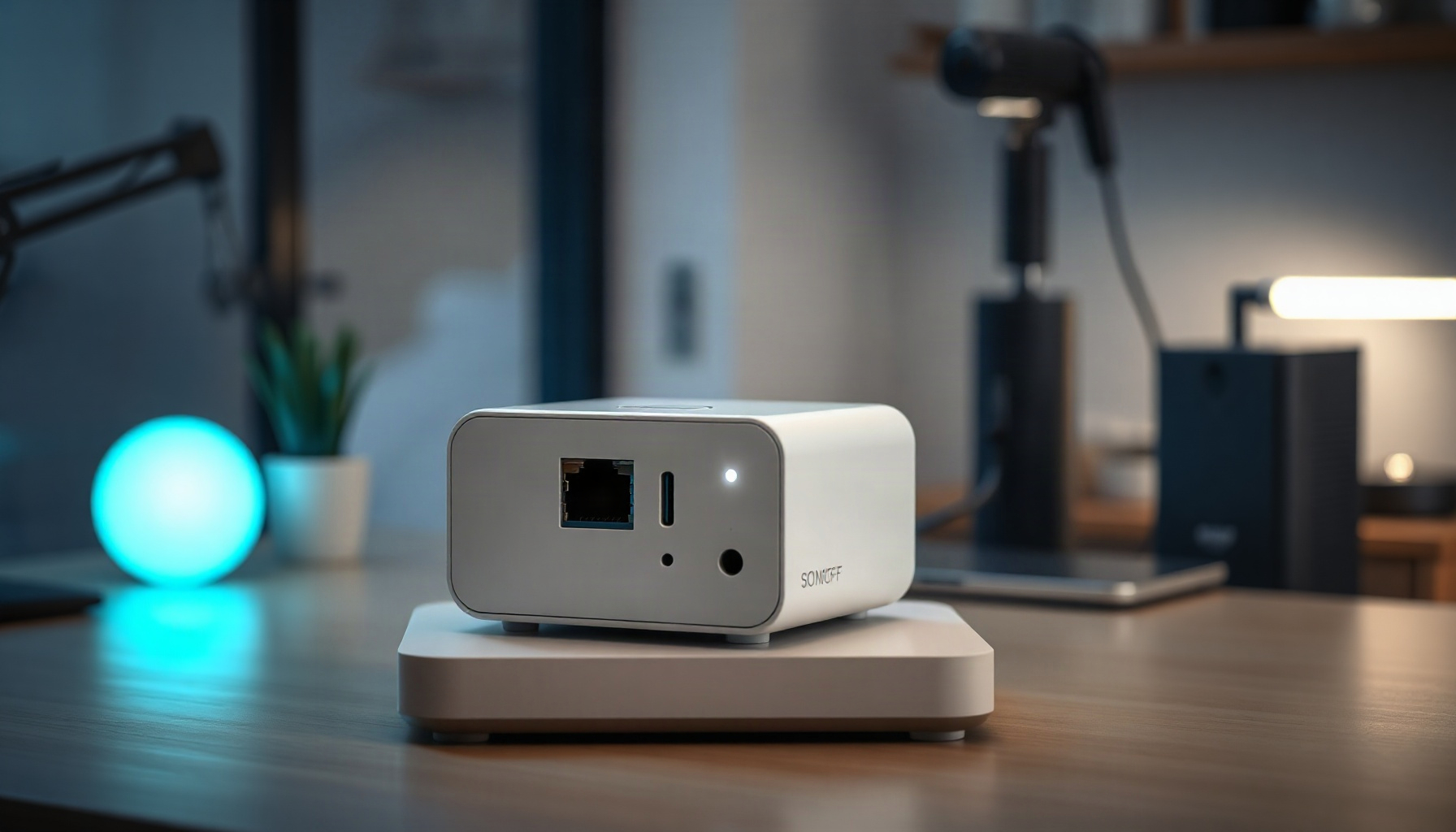
The SONOFF iHost is a small, cheap box that tries to be three things at once: a local Zigbee hub, a Matter bridge, and a Docker host that can even boot full Home Assistant OS. This review rebuilds the buying case from SONOFF’s own documentation, the official HA-over-iHost project, and clearly labeled community reports — not from a unit on a test bench.
How This Guide Was Built
This guide was built from SONOFF’s product page and iHost help documentation, supplemented by official project materials and clearly labeled community reports. This review is based on official documentation, pricing pages, and community reports — we did not run the hub hands-on. Observations are limited accordingly, and every non-official anecdote is labeled.
Hardware and operating claims are checked against SONOFF first, Home Assistant OS details against the project repository, and interoperability claims against ZHA or Zigbee2MQTT. The repository’s commit count and dates are point-in-time observations as of 2026-10-05, not a promise of future updates; official claims remain labeled as vendor claims, and anecdotes remain labeled as community reports.
Hardware, SKUs, and Price
The iHost hardware comes in RV1126 4 GB and RV1109 2 GB versions, with the 4 GB model built around a 32-bit quad-core Arm Cortex-A7 processor. SONOFF documents the platform, memory, storage, radios, and ports on the iHost product page, while its announcement distinguishes the two SKUs.
The RV1126 processor is rated at approximately 1.5 GHz and pairs with 4 GB of DDR4 memory, while the lower-cost 2 GB SKU uses the RV1109. Listed storage consists of 8 GB eMMC plus a microSD slot supporting cards up to 256 GB, and connectivity includes Gigabit Ethernet, 2.4 GHz Wi-Fi, and Bluetooth 5.0 — all as listed on the iHost product page. Power arrives through USB-C, while the enclosure also provides USB-A. The reviewed pages identify that port but do not establish a supported USB-dongle host function, so this review does not claim one.
The official US price for the 4 GB model was $129.90 when the SONOFF listing was read on 2026-10-05. That is a dated price, not a permanent pricing promise.
Built-in Zigbee and Matter Radio
The iHost’s built-in radio turns it into a local Zigbee coordinator rather than a bare computer. The official HA-over-iHost project names the Silicon Labs EFR32MG21 module (part EFR32MG21A020F768IM32-B, 768 kB flash), while SONOFF’s product page and launch article document Zigbee 3.0, Matter bridging, camera functions, and router-based expansion.
SONOFF says one hub can manage as many as 128 Zigbee sub-devices and that additional routers can extend coverage and device capacity. Its pairing approach is intended to be brand-agnostic; SONOFF explicitly says it works more like Zigbee2MQTT than a closed ecosystem, our Zigbee2MQTT setup guide shows what that stack looks like in practice. That is a useful vendor design claim, but it is not independent interoperability certification.
On the Matter side, the iHost can act as a bridge for supported devices, and if the bridge-versus-controller split is new to you our beginner’s guide to Matter explains the difference. The documentation also lists eWeLink-Remote and ONVIF/RTSP camera support. Matter bridging should not be confused with Thread border-router certification: neither the reviewed iHost materials nor Home Assistant’s Matter documentation presents the iHost as a certified Thread border router.
Local-First Operation and Cloud Contact
Normal iHost operation is local-first: official documentation says the cloud is not needed for everyday scenes or security. The iHost help center documents local triggers and three alarm modes, while a community report says firmware updates have historically required a temporary eWeLink-cloud link, limiting any promise of never touching the cloud.
Local scenes can be driven by device state, time, sunrise or sunset, GPS, and manual action, according to the iHost help center. Security workflows run locally, with three documented alarm modes covering different levels of automation. The product documentation also lists casting to a phone, tablet, or NSPanel Pro.
For a household requiring zero cloud contact ever, the firmware-update community report above is a practical disqualifier unless that requirement can be relaxed. Local daily control should not be confused with a guarantee that updates, account functions, or future features will never require cloud access.
Docker and Add-on Hosting
Docker and add-on hosting provide a documented extension path, but not a guaranteed workload capacity. SONOFF claims five to seven simultaneous containers on the product page, and its local-smart-home article names common services plus an open API for integrations and add-ons.
The named images or application examples are Node-RED, Mosquitto MQTT, Home Assistant, InfluxDB, and Grafana. The add-on framework and open API are useful when a homeowner wants services close to the Zigbee host. Still, “five to seven” remains a vendor claim, not a measured result in this review. Anyone requiring a guaranteed container count should treat the iHost as unsuitable until the intended workload has documented headroom.
The native Docker route and the full Home Assistant OS route should be treated as separate deployment choices. The sources reviewed do not establish that Docker containers and Home Assistant OS run concurrently on the iHost, so this review makes no such promise.
Running Home Assistant OS on iHost
Home Assistant OS can run on the iHost through SONOFF’s open-source project, not through official Home Assistant hardware support. The project repository documents a full microSD installation and internal Zigbee path, while the release history provides dated maintenance evidence for prospective buyers.
Requirements are iHost system 2.5.1 or later and an A2 microSD card of at least 32 GB, as stated in the HA-over-iHost project README. The project documentation warns that the 32-bit CPU makes some Home Assistant features not compatible, without identifying particular features. It also says the built-in EFR32MG21 radio appears at /dev/ttyS4, where ZHA or Zigbee2MQTT can discover it over the internal UART.
The project’s official add-on list includes iHost Hardware Control, SONOFF Dongle Flasher, Matter Bridge, Node-RED, ESPHome Device Builder, eWeLink-Remote, Matter Server, OpenThread Border Router, and Silicon Labs Multiprotocol. The setup guide documents their intended installation paths.
At the 2026-10-05 source check, the repository showed 129 commits and a README update dated 8 August 2026, with the release history listing a 5 November 2025 release that upgraded the kernel to 6.12.43. These details make the project appear active in this snapshot, but they do not guarantee future releases or long-term support.
Coordinator Compatibility and Home Assistant Fit
The iHost fits the Home Assistant ecosystem technically, but its built-in radio is not official Home Assistant hardware. ZHA and Zigbee2MQTT support Silicon Labs EmberZNet radios, and Home Assistant’s recommended coordinator for new Zigbee networks is the official Connect ZBT-2 for a supported build.
The built-in EFR32MG21 uses an internal UART, so ZHA or Zigbee2MQTT can treat it as a local coordinator. This matters because ZHA warns against bridging a serial Zigbee coordinator over Wi-Fi, WAN, or VPN. The iHost does not expose its internal UART radio through those network paths. Ethernet or Wi-Fi carries host traffic, while the coordinator remains locally attached, so that warning does not apply to the built-in radio.
That distinction does not make the iHost official HA hardware. For buyers who require an HA-blessed USB-dongle topology, official support, or the recommended coordinator for a new network, the Connect ZBT-2 is the less ambiguous choice. The Home Assistant Green and Home Assistant Yellow pages document other official hub options, and our Home Assistant Green review covers that hub’s role in a local setup; Home Assistant Yellow is out of stock per the ZHA page at the 2026-10-05 source reading.
Community-Reported Caveats
These community-reported caveats remain anecdotal because the official iHost help center establishes the operating baseline, not the following experiences. Each item is labeled a community report and should be weighed against the documented specifications and the buyer’s priorities before purchase.
The first community report indicates that the eWeLink interface and setup documentation can feel rough or unfinished compared with more polished ecosystems. Another community report observes that the 2 GB SKU becomes tight under heavier workloads, making the 4 GB model the safer choice for add-ons or local services. A separate community report states that firmware updates have historically required a temporary eWeLink-cloud connection.
Additional community feedback notes there is no polished first-party mobile app, meaning core administration still depends heavily on browser-based workflows. A final community report indicates that the 32-bit processor caps practical Home Assistant scale. The 32-bit limitation itself is documented, while its effect on a particular installation remains workload-dependent.
Comparison: iHost vs Home Assistant Ecosystem
The SONOFF iHost should be compared with a bundle, not only a coordinator: it combines a hub, a Zigbee radio, firmware, and a container host. Home Assistant offers separate Connect ZBT-2, Green, and Yellow choices, making support and replacement boundaries clearer.
| Feature | SONOFF iHost | Home Assistant Connect ZBT-2 | Home Assistant Green | Home Assistant Yellow |
|---|---|---|---|---|
| Device class | Local hub with radio and container host | USB Zigbee coordinator | Hub without built-in Zigbee | Hub with Zigbee |
| Price | $129.90 official US 4 GB price (read 2026-10-05) | Not stated in sourcing set | Not stated in sourcing set | Not stated in sourcing set |
| CPU / architecture | Rockchip RV1126 quad-core Arm Cortex-A7 ~1.5 GHz, 32-bit | Not stated in sourcing set | Not stated in sourcing set | Not stated in sourcing set |
| RAM | 4 GB DDR4 / 2 GB cheaper SKU | Not stated in sourcing set | Not stated in sourcing set | Not stated in sourcing set |
| Storage | 8 GB eMMC + microSD up to 256 GB | Not stated in sourcing set | Not stated in sourcing set | Not stated in sourcing set |
| Built-in Zigbee radio | Yes, Silicon Labs EFR32MG21 | Yes, as USB coordinator | No | Yes |
| Zigbee stack option | ZHA or Zigbee2MQTT via internal UART | ZHA / Zigbee2MQTT via USB | Not stated in sourcing set | Not stated in sourcing set |
| Official Home Assistant hardware | No | Yes | Yes | Yes |
| HA’s pick for new Zigbee networks | No, HA recommends Connect ZBT-2 | Yes | Not applicable | Not applicable |
| Matter | Matter bridge | Not stated in sourcing set | Not stated in sourcing set | Not stated in sourcing set |
| Runs full HA OS | Yes, via open-source project | No | Yes | Yes |
| Docker | Yes, vendor claim 5-7 containers | No | Not stated in sourcing set | Not stated in sourcing set |
| Connectivity | Gigabit Ethernet, 2.4 GHz Wi-Fi, Bluetooth 5.0 | USB | Not stated in sourcing set | Not stated in sourcing set |
| Availability caveat | Official price read 2026-10-05 | Coordinator only | No Zigbee radio | Out of stock per ZHA page |
FAQ
The iHost open-source project documents the full-OS and internal-radio path, while this FAQ gives direct answers about cloud use, compatibility, and scale. Each answer stays within sourced facts or clearly labels a community report, so readers can distinguish documented operation from anecdotal experience.
Does the iHost require the cloud for daily use?
No, the official documentation does not require eWeLink cloud access for normal local scenes, schedules, or security modes. A community report, however, says firmware updates have historically required a temporary cloud link. That makes the iHost local-first for daily control, but not a guarantee of zero cloud contact over its lifetime.
Can the iHost run full Home Assistant OS?
Yes. The open-source project installs full Home Assistant OS to a microSD card and requires iHost system version 2.5.1 or later plus an A2 microSD of at least 32 GB. Its documentation also states that the 32-bit CPU makes some Home Assistant features incompatible, without naming specific features.
Does the built-in Zigbee radio work with ZHA and Zigbee2MQTT?
Yes. The internal Silicon Labs EFR32MG21 appears at /dev/ttyS4, and the iHost project documents discovery through ZHA or Zigbee2MQTT. ZHA and Zigbee2MQTT both support EmberZNet radios. The connection is an internal UART, not a coordinator bridge exposed over Wi-Fi or WAN.
What limits the iHost for a larger Home Assistant setup?
For larger homes, the 2 GB model is the first concern: a community report describes it as tight under load. A separate community report says the 32-bit processor caps Home Assistant scale, while the official project documentation says some features are incompatible. For a new, officially supported Zigbee network, Home Assistant recommends its Connect ZBT-2 instead.
The Bottom Line
The Bottom Line awards the iHost 7/10: the official listing supports its position as the lowest-priced documented single box in this comparison, combining Zigbee 3.0, Matter bridging, Docker claims, and a full-HA-OS path. Its 32-bit limit and non-official HA status favor a modest local setup over a large, support-sensitive installation.
| Criterion | Score |
|---|---|
| Value | 8/10 |
| Local-first promise | 8/10 |
| Home Assistant fit | 6/10 |
| Ease of use | 5/10 |
| Ecosystem / Matter | 7/10 |
| Overall Score | 7/10 |
📖 Related Reads
- ToolBrain — tool reviews, LLM comparisons, and AI workflow guides
Cross-links automatically generated from SmartHome Field Guide.
← Back to guides