Robot Lawn Mower Home Assistant Integration: 2026 Buyer's Guide Without Lock-In
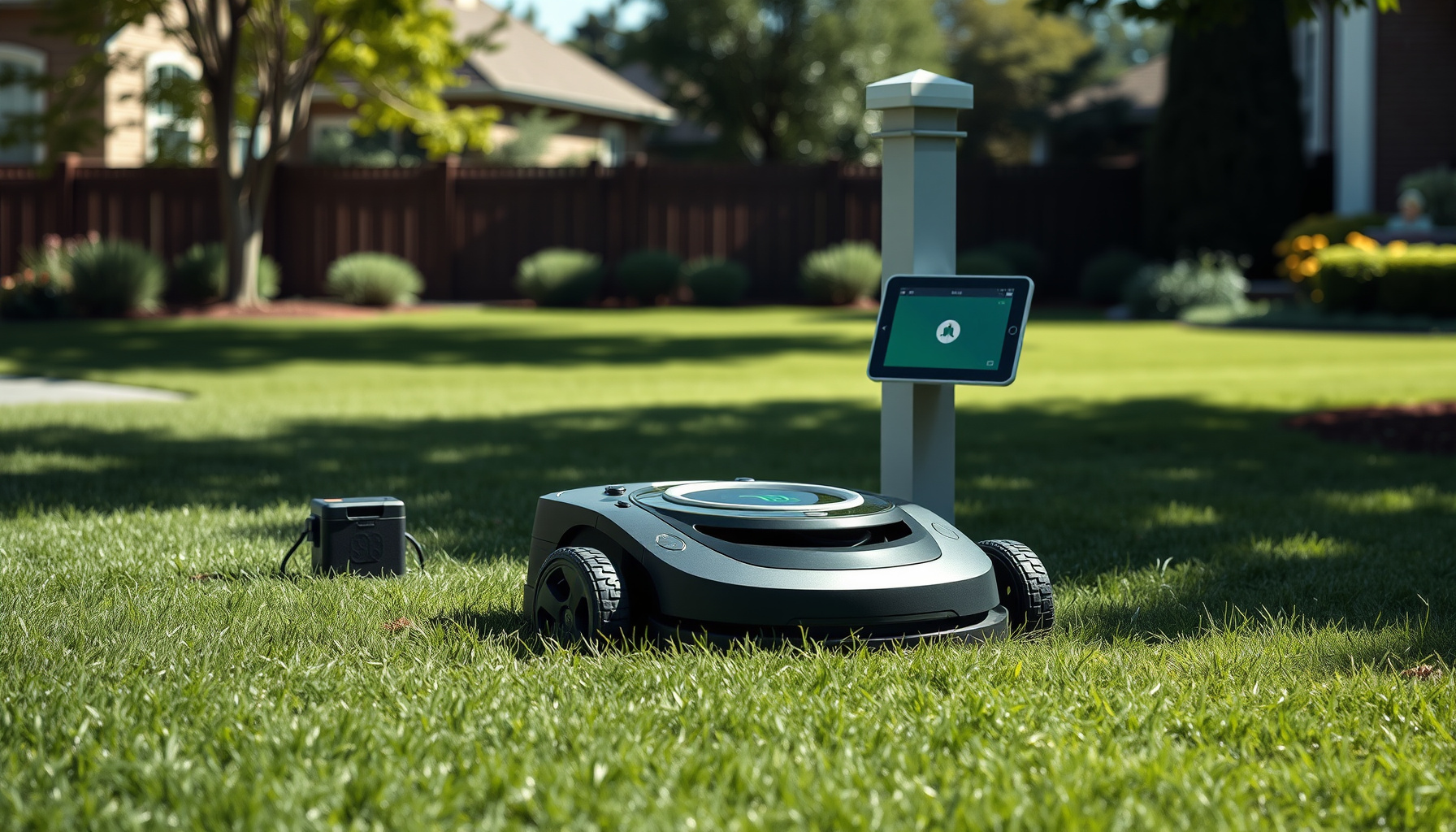
The robot lawn mower Home Assistant integration question decides more 2026 purchases than cutting quality does, because a mower that stops obeying you is worse than one that cuts imperfectly. The 2026 robot-mower buying decision is not about which mower cuts best, but about which mower still obeys you when the vendor cloud or API changes — and the only reliable way to know is to verify its Home Assistant integration path before purchase. Everything below comes from primary pages fetched on September 24, 2026, and anything not present in server-sent HTML is marked unverified rather than guessed.
How We Researched This
This robot lawn mower Home Assistant integration guide rests on desk research alone: we fetched the primary Home Assistant, vendor, CSA, and GitHub pages on September 24, 2026 and recorded only what the server-sent HTML contained. Any value rendered by JavaScript is labeled unverified rather than estimated.
This article is desk research only: I fetched the primary Home Assistant, vendor, CSA, and GitHub pages on September 24, 2026, and did not test any robot mower hands-on.
Four checks produced the conclusions here. First, the Home Assistant integration index at docs version 2026.9.3, to see which brands have official pages and which return 404. Second, the entity developer documentation, to establish what control actually means. Third, vendor storefront HTML for coverage figures and prices. Fourth, the CSA’s own Matter pages, which turned out to be the most important negative result in this guide. If you are still setting up the server itself, start with our Home Assistant setup guide.
What Home Assistant’s Lawn Mower Entity Actually Promises
Home Assistant’s lawn_mower entity is a narrow, explicit contract, and any mower integration that does not map onto it gives you dashboards without dependable control. The contract defines six activities — MOWING, DOCKED, PAUSED, IDLE, RETURNING, ERROR — and four supported features: START_MOWING, PAUSE, DOCK, STOP.
The developer documentation spells out the matching methods: start_mowing / async_start_mowing starts or resumes the mowing task, and dock / async_dock stops the mower and returns it to the dock. The same page ships two automation examples, “Send a notification when mowing is done” and “Return the mower to dock,” which only work if the integration exposes the real commands. That is the dividing line: a device that reports DOCKED and battery percentage but offers no START_MOWING is a sensor, not a controllable mower, no matter how polished the vendor app looks.
Official Integrations: Husqvarna Automower and Worx Landroid Are Cloud-First
Two official integrations exist today, and both depend on the vendor’s own cloud rather than on your network. The Husqvarna Automower integration requires OAuth2 credentials tied to a Husqvarna account, while the Worx Landroid integration reaches only two model numbers and returns three data points: state, battery level, and error status.
The Husqvarna Automower integration states plainly that it provides connectivity “through Husqvarna’s cloud API,” that only mowers with Automower Connect or the Automower Connect Module are supported, and that you must configure OAuth2 credentials using your Husqvarna account. Its documented entities are binary_sensor, button, calendar, device_tracker, event, lawn_mower, number, select, sensor, switch — so the control surface exists, but it rides on Husqvarna’s servers and your internet connection. The Worx Landroid integration is narrower still: it reads current state, battery level, and error status from the WG796E.1 or WG797E.1 only. Meanwhile the Mammotion and Navimow pages on the integration index both returned 404, so neither brand has an official integration.
The Local-First Escape Hatch: Mammotion via HACS
The Mammotion path is a community HACS integration, not a core Home Assistant integration, and that distinction matters for support and risk. HACS Mammotion-HA ships a hacs.json and uses the PyMammotion library to talk to Mammotion mowers over MQTT, Cloud, and Bluetooth, so at least two transports never touch the vendor REST cloud.
HACS Mammotion-HA on GitHub had 552 stars when we fetched it, and its README explains that PyMammotion provides a Python API for controlling and monitoring Mammotion robot mowers via MQTT, Cloud, and Bluetooth. It also exposes per-mower Map offset latitude and Map offset longitude number entities, in metres, to correct RTK-versus-satellite-tile misalignment on a Map card. Two honest caveats apply. The transport list mixes local and cloud options, so local control depends on which transport your setup actually uses — Bluetooth and MQTT are local, Cloud is not. And a community project is third-party maintained: stars and commit activity can change, and no one guarantees tomorrow’s release. That is a reasonable trade for many homeowners, but it is not the same as a core integration.
Matter in 2026: Verified Reality vs Marketing
No verifiable Matter device type for robotic lawn mowers appears in any source we checked, so treat any Matter claim as unverified until a vendor or the CSA publishes a device type. The Matter 1.4 announcement lists new device types and energy management without naming mowers, and the CSA FAQ omits them too.
The Matter 1.4 announcement does discuss “several new device types and core enhancements” plus energy management, but robotic mowers are not among them. The CSA’s Matter FAQ lists supported classes as bridges, controllers, door locks, HVAC controls, lighting and electrical, media devices, safety and security sensors, and window coverings and shades, then names future types including robot vacuums — again, no robotic lawn mower. A CSA device-library URL tried for a robotic-mower device type returned 404. Home Assistant’s index does carry a category named exactly “Lawn mower,” but that category is populated by vendor-cloud integrations, not by Matter. Our Matter 1.6 update explainer covers the same distinction for other device classes. The practical 2026 path remains either a vendor-cloud integration or a community integration over a local transport.
Verified Model Comparison
This verified model comparison is where a robot lawn mower Home Assistant integration decision becomes concrete, because every cell below states only what a primary page actually exposed on September 24, 2026.
| Model | Verified yard coverage | Navigation / slope / setup claim | Verifiable USD price | Home Assistant integration path | What works if vendor cloud is down |
|---|---|---|---|---|---|
| Mammotion LUBA 3 AWD | 0.37–1.25 acres | “360 degree LiDAR + RTK + 1080P Dual-Camera AI Vision Navigation”; all-wheel drive with 80% gradeability | $2,109.00 / $2,399.00 / $2,799.00 / $3,299.00 | Community HACS only | Possible via local transport — third-party only |
| Mammotion LUBA 2 AWD | Not stated in fetched page | Page titled “2025 Model - Upgraded to 2026 LUBA 3” | $2,599.00 / $2,999.00 / $4,499.00 | Community HACS only | Possible via local transport — third-party only |
| Mammotion LUBA mini 2 AWD | 0.37 acre | “360 degree LiDAR + AI Vision. Cleaner Edge Mowing.” | Unverified — client-rendered | Community HACS only | Possible via local transport — third-party only |
| Segway Navimow X430 / X450 | 1.0 acre / 1.5 acres | “Large-Yard Master with Turf-Safe Xero-Turn AWD”; “Max 84% (40 degree) incline” | $2,499.00 / $2,999.00 | None verified | None verified |
| Segway Navimow i206 AWD / i210 AWD / i215 LiDAR | 0.15 acre / 0.25 acre / 0.37 acre | i215: “Ultra-Precise Solid-State LiDAR”; Network RTK antenna-free where coverage exists | $999.00 / $1,299.00 / $1,599.00 | None verified | None verified |
| Segway Navimow H210 / H220 | 0.25 acre / 0.5 acre | Network RTK via app setup; free cellular data for RTK where coverage exists | $1,799.00 / $2,199.00 | None verified | None verified |
| ECOVACS GOAT O1000 RTK / O1000 RTK Care Kit / O1000 LiDAR PRO | Mows up to 1/4 acre | “45% Slope Climbing”, “Narrow Path Navigation”, TruEdge zero-edge, wire-free set-up | $999.99 / $999.99 / $1,499.99 | None verified | None verified |
| Husqvarna Automower iQ Series (410 iQ, 420 iQ, 435 iQ AWD) | 0.5 acre / up to 1 acre / slopes up to 70% | “EPOS (Exact Positioning Operating System) for wire-free navigation”; physical or virtual wire | Unverified — client-rendered | Official cloud integration | Cloud-dependent — mowing commands require vendor cloud |
| Worx Landroid Vision WR2xx family | 1/5, 1/4, 1/2, 3/4, 1 acre | “Advanced AI yard awareness. Unbox and mow in minutes. No mapping required.” | Unverified — client-rendered | None verified | None verified |
Three notes on that table. Every Worx and Husqvarna price field reads Unverified — client-rendered because no USD price appeared in either brand’s server HTML — Worx rendered the literal placeholder 000,00, and Husqvarna exposed none, so no Worx or Husqvarna figure is stated anywhere in this guide. The Worx Vision family reads None verified for integration path because the official integration documents only the WG796E.1 and WG797E.1, not the WR208 (1/5 acre), WR210 (1/4 acre), WR220 (1/2 acre), WR230 (3/4 acre) or WR235 (1 acre) range listed on worx.com. Coverage figures for Mammotion come from us.mammotion.com, Segway’s from navimow.segway.com/us, and ECOVACS figures from ecovacs.com/us. The Segway rows above compress three families — Segway Navimow X430 and X450 in the X series, Segway Navimow i206 AWD, Segway Navimow i210 AWD and Segway Navimow i215 LiDAR in the i series, and Segway Navimow H210 and Segway Navimow H220 in the H series — and the Husqvarna row covers Husqvarna Automower 410 iQ, Husqvarna Automower 420 iQ and Husqvarna Automower 435 iQ AWD; the ECOVACS row covers ECOVACS GOAT O1000 RTK, ECOVACS GOAT O1000 RTK Care Kit and ECOVACS GOAT O1000 LiDAR PRO. The only Husqvarna models the official integration supports are those carrying Automower Connect or the Automower Connect Module, which is a firmware feature rather than a model tier.
Decision Guide: Local-First, Cloud-Acceptable, or Skip
Sort every mower into one of three buckets before money changes hands: local-escape-hatch, cloud-dependent, or no-verified-path. Mammotion sits in the first bucket through a third-party HACS integration, Husqvarna sits in the second through an official cloud integration, and Segway Navimow, ECOVACS, and the Worx Vision family currently sit in the third.
Local escape hatch. Choose this bucket only if you accept third-party maintenance. Mammotion LUBA 3 AWD, LUBA 2 AWD, and LUBA mini 2 AWD are reachable through HACS Mammotion-HA over MQTT, Cloud, or Bluetooth, so local control is possible in principle, conditional on transport and on a community project staying alive.
Cloud acceptable. The Husqvarna iQ Series — 410 iQ, 420 iQ, 435 iQ AWD — pairs with an official integration, but the path runs through Husqvarna’s cloud API and OAuth2. If your vendor account works and your internet works, so does your automation. If either fails, mowing commands stop.
Skip, or buy with eyes open. Segway Navimow and ECOVACS GOAT showed no official integration and no HACS path we could verify, so any smart-home control claim for those brands is unverified today. If local control is a hard requirement for you, that bucket is a no-buy until a verifiable path appears.
Pre-Purchase Check: The Repeatable 6-Step Test
A repeatable six-step test turns integration claims into a written filter you can apply to any mower in minutes. Run it before you read reviews, because it removes models that cannot meet your control requirements regardless of how well they cut.
- Open
https://www.home-assistant.io/integrations/and search the exact brand and model series. If the brand returns a 404 integration page, mark itno official integration. - Read the official integration documentation for
cloud API,OAuth2,vendor account, and “requires internet”. If present, mark the mowercloud-dependent. - Verify the integration exposes
lawn_mowercommands, not just sensors. Required commands:start_mowing,pause,dock,stop. If only state/battery/error data appears, it cannot reliably control the mower. - Search HACS and GitHub for the exact model. Note stars, recent commit activity, and transport names:
MQTT,Bluetooth, orCloud. If only cloud transport appears, do not treat it as local-first. - If a seller claims Matter support, ask for the CSA device type or a published CSA page. Without a published device type, write
Matter unverifiedin your notes. - Verify price only from vendor server-sent HTML, not the JavaScript-rendered storefront. If the price is a placeholder or not exposed, write
price unverified. Then record a one-line purchase filter:Must expose Home Assistant lawn_mower with START_MOWING, DOCK, STOP, and must not depend on vendor cloud for local commands if local control is required.
Applied to this year’s field, the test marks Mammotion as community-HACS with conditional local transport, Husqvarna as cloud-dependent with a genuine lawn_mower entity, Worx Vision and both Segway and ECOVACS lines as no verified path, and every Matter claim as unverified.
FAQ
Three questions decide most of these purchases, and each has a short answer grounded in what we verified on September 24, 2026. The answers below describe the integration paths that existed on that date, not what any seller told us in a listing description.
Why isn’t there a robot lawn mower Home Assistant integration for Segway or ECOVACS?
Because neither brand has an official integration page: the Navimow and Mammotion entries on the Home Assistant integration index both returned HTTP 404, and we could not verify any HACS or GitHub project for Segway Navimow or ECOVACS GOAT either. Home Assistant’s index does show a “Lawn mower” category, but it is populated by vendor-cloud integrations such as Husqvarna. Until a maintainer publishes a working integration with real lawn_mower commands, the honest status for Segway Navimow X430, X450, i206 AWD, i210 AWD, i215 LiDAR, H210, H220, and the ECOVACS GOAT O1000 range is None verified — not “coming soon,” and not “works via Matter.”
Does Matter support robot lawn mowers yet?
Not in anything we could verify. The Matter 1.4 announcement covers new device types and energy management but never mentions mowers, the CSA Matter FAQ’s supported and future device lists omit robotic lawn mowers, and a CSA device-library URL for a robotic-mower device type returned 404. So the answer is Matter unverified until the CSA or a vendor publishes a device type. Ask any seller making the claim for the CSA device type or a published CSA page; without one, treat it as marketing. Our Matter 1.6 update post tracks which device classes actually shipped.
Can I still control a Husqvarna or Worx mower if the vendor cloud goes down?
For Husqvarna, no. The official integration connects through Husqvarna’s cloud API with OAuth2 credentials tied to your Husqvarna account, so mowing commands depend on the vendor cloud and your internet connection being up. For Worx, the official integration only reads state, battery level, and error status from the WG796E.1 and WG797E.1, which is monitoring rather than command control, and nothing about the Vision WR2xx family is verified at all. Local mowing schedules stored on the mower itself may keep running, but from Home Assistant’s side you should assume Cloud-dependent — mowing commands require vendor cloud whenever the path is an official cloud integration.
📖 Related Reads
- ToolBrain — tool reviews, LLM comparisons, and AI workflow guides
Cross-links automatically generated from SmartHome Field Guide.
← Back to guides