ESPHome Starter Kit: $40 DIY Smart Home Kit Explained
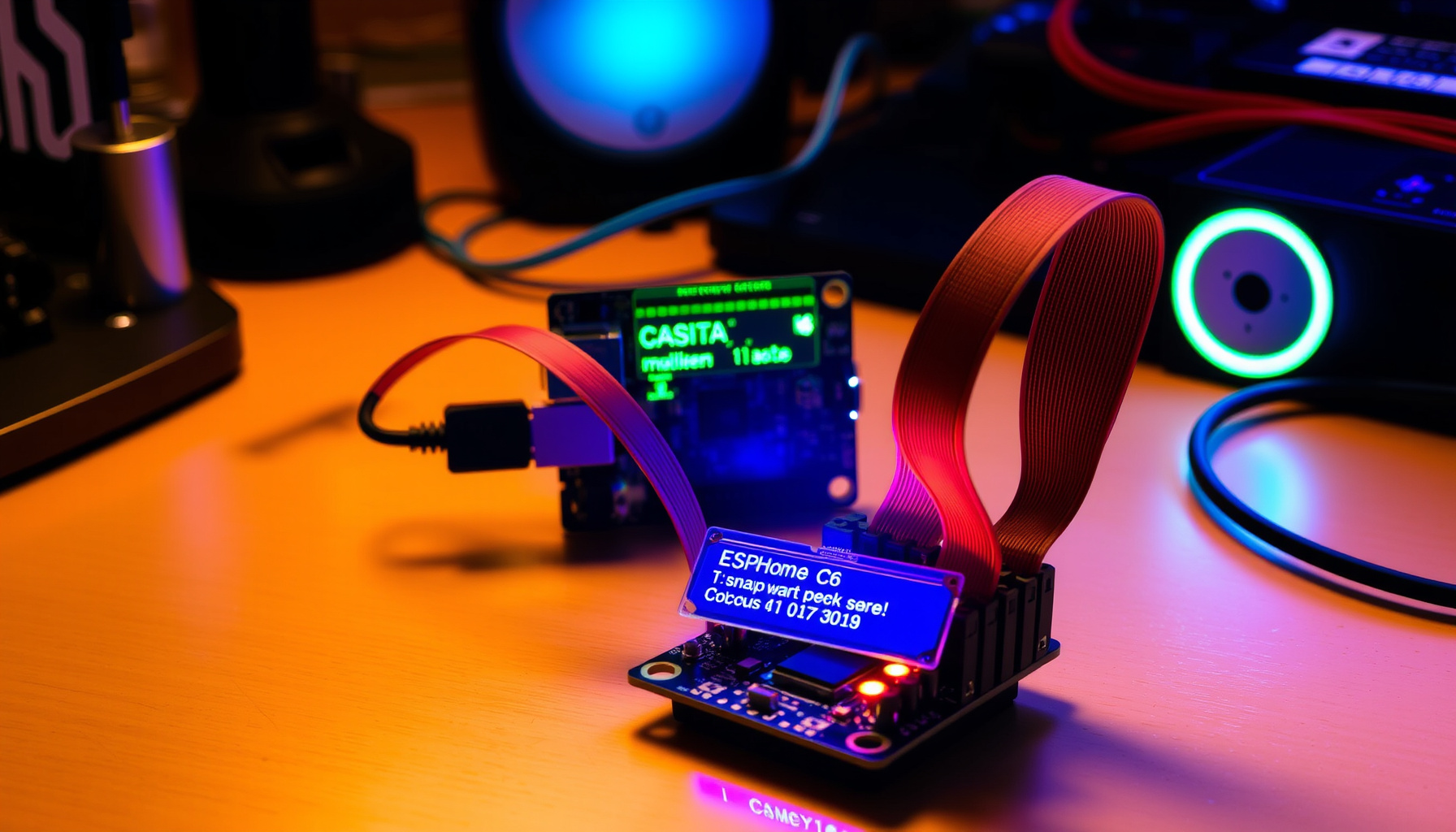
The ESPHome Starter Kit: First Official ESPHome Hardware
The ESPHome Starter Kit (ESK-1) is the first official ESPHome-branded hardware, launched August 12, 2026 at $40 USD and designed and produced by Apollo Automation, the Open Home Foundation’s second commercial partner, as reported by the ESPHome Blog. This marks the first time the ESPHome project has released its own branded hardware rather than relying on third-party manufacturers.
Priced at $40, the kit targets newcomers and Home Assistant enthusiasts who want a guided path into local smart home development. Apollo Automation co-founders Trevor Schirmer and Justin Bunton built the kit around the ESP32-C6-MINI-1 module, combining Wi-Fi 6, Bluetooth LE, and Thread support. It was first previewed at State of the Open Home 2026 in Utrecht this past April.
How This Was Verified
This coverage is based on official documentation, spec sheets, and community reports — we did not test the kit hands-on. Pricing, hardware specifications, module details, and the setup flow were verified against the ESPHome Blog, Apollo Automation, and CNX Software. Last verified: August 2026.
What’s in the Box
The ESPHome Starter Kit includes a main ESPHome C6 board built on the Espressif ESP32-C6-MINI-1 module supporting 2.4GHz Wi-Fi 6, Bluetooth LE, and Thread, though Zigbee is not supported out of the box, according to CNX Software. The board features two 14-pin FPC ports, an onboard RGB status LED, Reset and Boot buttons, USB-C 5V power, and an optional rechargeable LiPo battery connection.
Four snap-apart modules connect via FPC ribbon cables without soldering or breadboards: an MH-SR602 PIR motion sensor with 0-3.5 m range, an AHT20F temperature and humidity sensor with ±0.3 °C and ±2% RH accuracy, a “Casita” notification module with 10 individually controllable RGB LEDs in the ESPHome logo shape plus a piezo buzzer, and a button module. Accessories include three FPC ribbon cables (one spare) and a Casita stand. Two modules can run simultaneously on the main board.
How the ESPHome Starter Kit Works
The ESPHome Starter Kit uses a snap-and-configure workflow designed to eliminate the usual friction of ESPHome development, as described by the ESPHome Blog. Users snap a module off the panel, plug it into the main board with one FPC ribbon cable, then configure the device using the ESPHome Device Builder, a visual desktop app that requires no YAML coding knowledge.
After configuration, firmware installs over Wi-Fi or USB, and the device automatically appears in Home Assistant. Notably, no Home Assistant installation is required to start using the kit, which removes a major barrier that previously existed for ESPHome newcomers. All firmware and hardware designs are open source on GitHub at github.com/ApolloAutomation/ESPHome-Starter-Kit.
Who the ESPHome Starter Kit Is For — and Who It Isn’t
The ESPHome Starter Kit is aimed at beginners and Home Assistant-curious homeowners who want a structured introduction to local smart home development without vendor lock-in, according to the ESPHome landing page. It is not designed for tinkerers who prefer sourcing individual components or building custom circuits from scratch, since the kit bundles specific modules with limited expansion beyond the two FPC ports.
The kit runs 100% locally with no cloud, no account, no subscription, and no telemetry, making it appealing to privacy-focused users. However, Zigbee is not supported out of the box despite being present at the chip level, which limits its appeal for users seeking full Zigbee integration immediately.
ESPHome Starter Kit Price and Value
The ESPHome Starter Kit retails for $40 USD, which one Home Assistant community forum commenter identified as expensive relative to the raw component costs, as noted by Apollo Automation. The same critic called the 16-pin FPC connectors overkill for modules that use only 3-5 pins, dismissing the kit as a toy rather than a serious development platform.
However, the kit’s value proposition extends beyond component pricing. The build quality, snap-apart design, and visual Device Builder justify the premium for users who prioritize ease of use over cost optimization. Additionally, the majority of profit from every kit goes to the Open Home Foundation, which funds ESPHome, Home Assistant, and Music Assistant development.
Is the ESPHome Starter Kit worth it?
Yes, the ESPHome Starter Kit is worth it for beginners and Home Assistant newcomers, though the $40 price exceeds the raw cost of equivalent standalone components, as reported by the ESPHome Blog. The kit’s value lies in its guided setup flow, open-source firmware, and the fact that profits support the Open Home Foundation’s ongoing development of ESPHome and Home Assistant.
For users seeking maximum flexibility or who already have experience with bare ESP32 development boards, the kit may feel constrained by its fixed module selection. However, for anyone wanting a no-cloud, no-subscription entry point into local smart home automation, the ESPHome Starter Kit delivers a compelling learning experience with real-world project potential.
ESPHome Starter Kit vs. Plain ESP32 Dev Boards
The ESPHome Starter Kit justifies its premium over bare ESP32 development boards through its integrated design and beginner-friendly workflow, as detailed by CNX Software. While a generic ESP32 dev board costs less than the kit, users must source their own sensors, wire connections manually, and write YAML configuration from scratch.
The kit eliminates these barriers with snap-apart modules, FPC ribbon cables, and the visual Device Builder app that generates YAML automatically. The open-source hardware designs are also available on GitHub, allowing advanced users to modify or extend the boards beyond the starter configuration.
FAQ
Do I need Home Assistant to use the ESPHome Starter Kit?
No, you do not need Home Assistant to use the ESPHome Starter Kit, as the device can be configured and installed using the standalone ESPHome Device Builder desktop app, according to the ESPHome Blog. However, once configured, the device will automatically appear in Home Assistant if you run it, enabling seamless integration with your existing smart home setup.
Does the ESPHome Starter Kit support Zigbee or Thread?
The ESPHome Starter Kit supports Thread out of the box via the ESP32-C6-MINI-1 module, but Zigbee is not supported out of the box despite being present at the chip level, as confirmed by CNX Software. Users should not expect Zigbee functionality without additional firmware development beyond the current release.
What can I build with the ESPHome Starter Kit?
Suggested projects include motion-triggered lights, temperature-based room thermostat or heater control, a do-not-disturb indicator using red LEDs and a chime during calls, and button macros for morning routines such as starting coffee or playing music, as outlined by the ESPHome landing page. The kit’s modular design and open-source firmware make it easy to experiment with these and other local automation ideas.
Where to Go Next
For a complete walkthrough of getting started with ESPHome, read our ESPHome setup guide covering installation, configuration, and integration with Home Assistant. If you prefer building your own sensor nodes from scratch, check out our DIY ESP32 sensor build using a BME280 environmental sensor. For broader smart home infrastructure planning, see our Home Assistant setup guide.
The official Learning Wiki provides detailed documentation, project ideas, and troubleshooting steps. All hardware designs and firmware source code are available on GitHub, and the full product details can be found on the ESPHome starter kit landing page.
📖 Related Reads
- ToolBrain — tool reviews, LLM comparisons, and AI workflow guides
Cross-links automatically generated from SmartHome Field Guide.
← Back to guides